Sessions and scheduling
Create sessions one at a time or let a program schedule build them for you.
Updated August 17, 2026
There are two ways to put sessions on your calendar. Pick whichever fits how you
work.
Let a program build your schedule
If you run something regular, a program does the repeating work for you. Add a
schedule to the program, pick when it runs, and Next Play creates the sessions
from that schedule. Programs support a recurring schedule, a fixed calendar of
dates, or sessions you add on demand.
Create a single session
For a one-off, open Sessions, then My Sessions, and choose Create
Session.
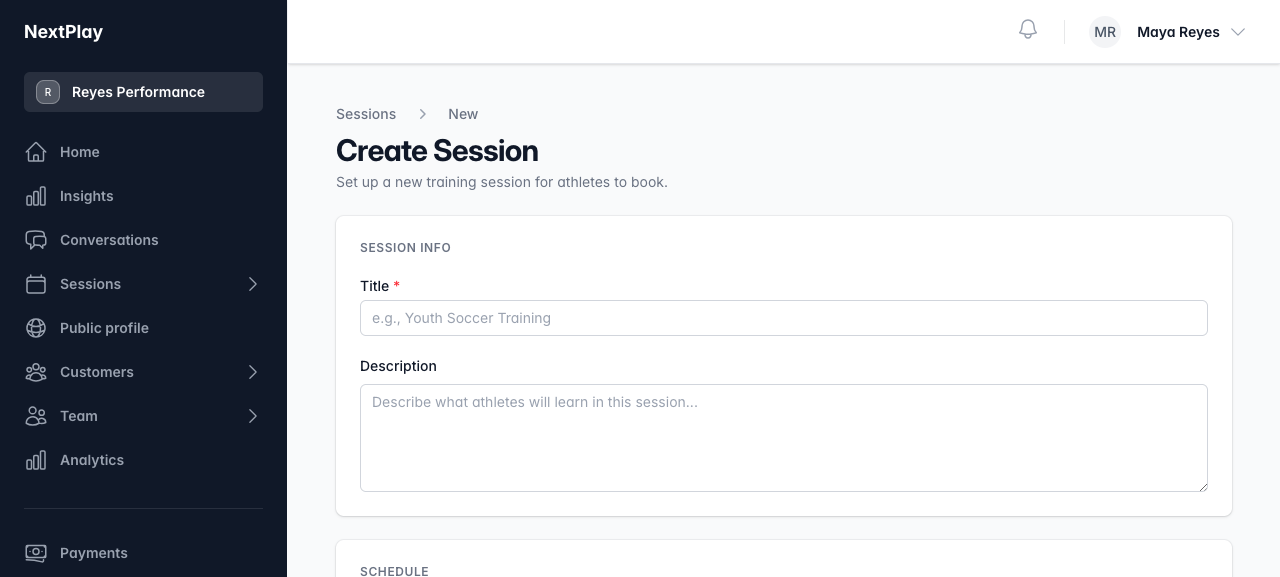
Fill in:
- A title and an optional description
- The date and time, and a duration from 30 to 120 minutes
- A location, if you meet somewhere specific
- A price, which starts at $50, or $0 for a free session
- Max Participants, or leave it blank for no limit
Choose Save Session when you are done.
Publish so people can book
A new session starts as a draft that only you can see. Open the session and
choose Publish from its menu. It becomes visible to athletes and ready to
book right away. To take it back down, choose Unpublish, which hides it
without deleting anything.
Cancel a session
If plans change, cancel the session from its menu. Anyone already booked can be
notified, and the spot reopens on your calendar.
Once people start booking, bookings and attendance
covers how to see who is coming and check them in.
Was this helpful?