Changing or cancelling a booking
Cancel a session you booked, and what happens to your spot and your payment.
Updated August 17, 2026
Plans change. You can cancel a session you booked, as long as it has not started
yet.
Cancel a booking
Open the booking from My Bookings, then tap Cancel Booking and confirm.
You can cancel any time before the session starts. Once it has started, the
cancel option goes away.
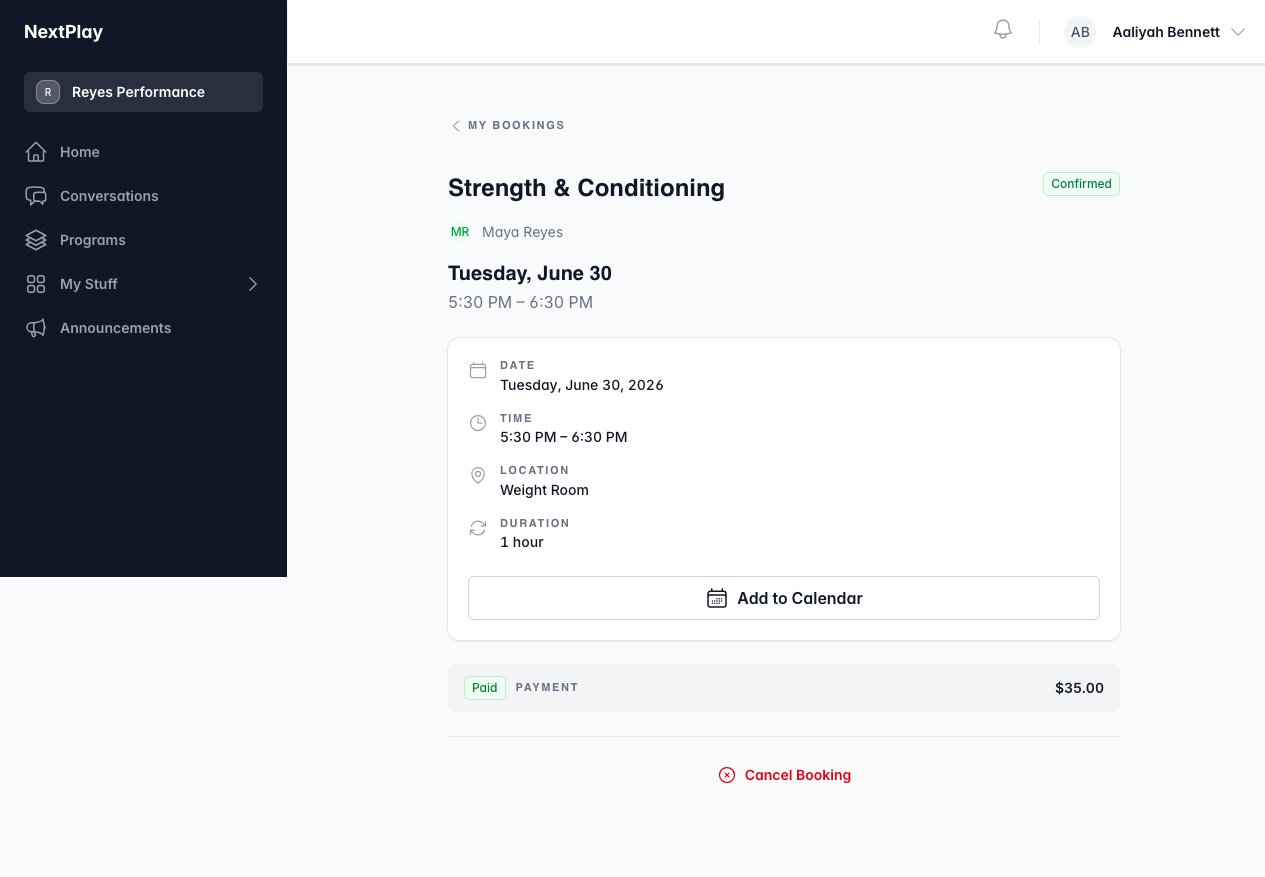
When you cancel, your spot opens back up for the next person, and you get a
confirmation by email.
What about a refund
Each session shows a cancellation policy: cancel at least 24 hours before it
starts and you are due a full refund. You can still cancel inside that window,
but a refund then is up to your trainer.
Refunds are handled by your trainer rather than sent the instant you cancel. If
you are owed one and do not see it back on your card, reach out to them.
Changing to a different session
There is no reschedule button. To switch to another day or time, cancel this
booking and book the session you want instead.
Was this helpful?