Joining a waitlist
Get in line for a full session and grab a spot the moment one opens up.
Updated August 17, 2026
When a session is full, you do not have to keep checking back. Join the waitlist
and we will let you know when a spot opens.
Join the waitlist
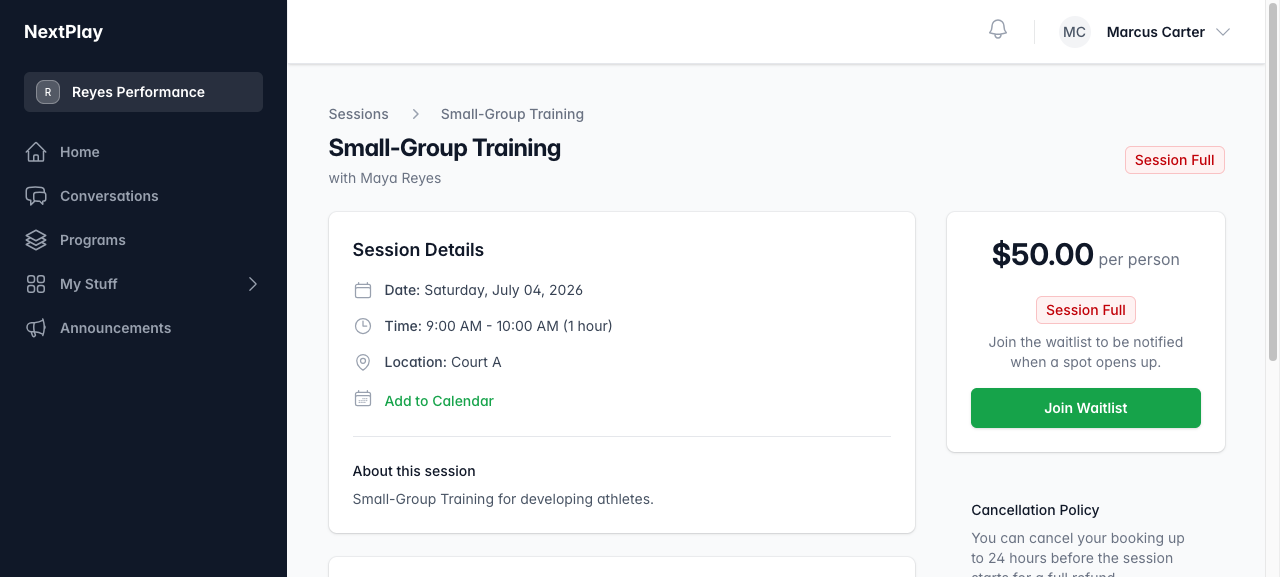
On a full session you will see Session Full and a Join Waitlist button.
Tap it and you are added to the line. The page shows your spot, like “Position
#2 in line.”
When a spot opens
If someone cancels, the spot goes to the next person in line. When that is you,
the page tells you a spot opened up and how many hours you have to claim it. Tap
Book Now to take it before the window closes.
Leave any time
Changed your mind? Open the session and tap Leave Waitlist to step out of the
line.
Was this helpful?