Packages and memberships
Buy a session pack, start a membership, or use credits instead of paying one session at a time.
Updated August 17, 2026
Some trainers let you pay ahead instead of one session at a time. What you see
depends on how your trainer set things up.
Buy a package
A package is a set of sessions bought together, usually at a better rate than
booking one at a time. On the program, choose the package and tap Buy Season
Package, or the name your trainer gave it, then check out. You then have those
sessions to use over time.
Start a membership
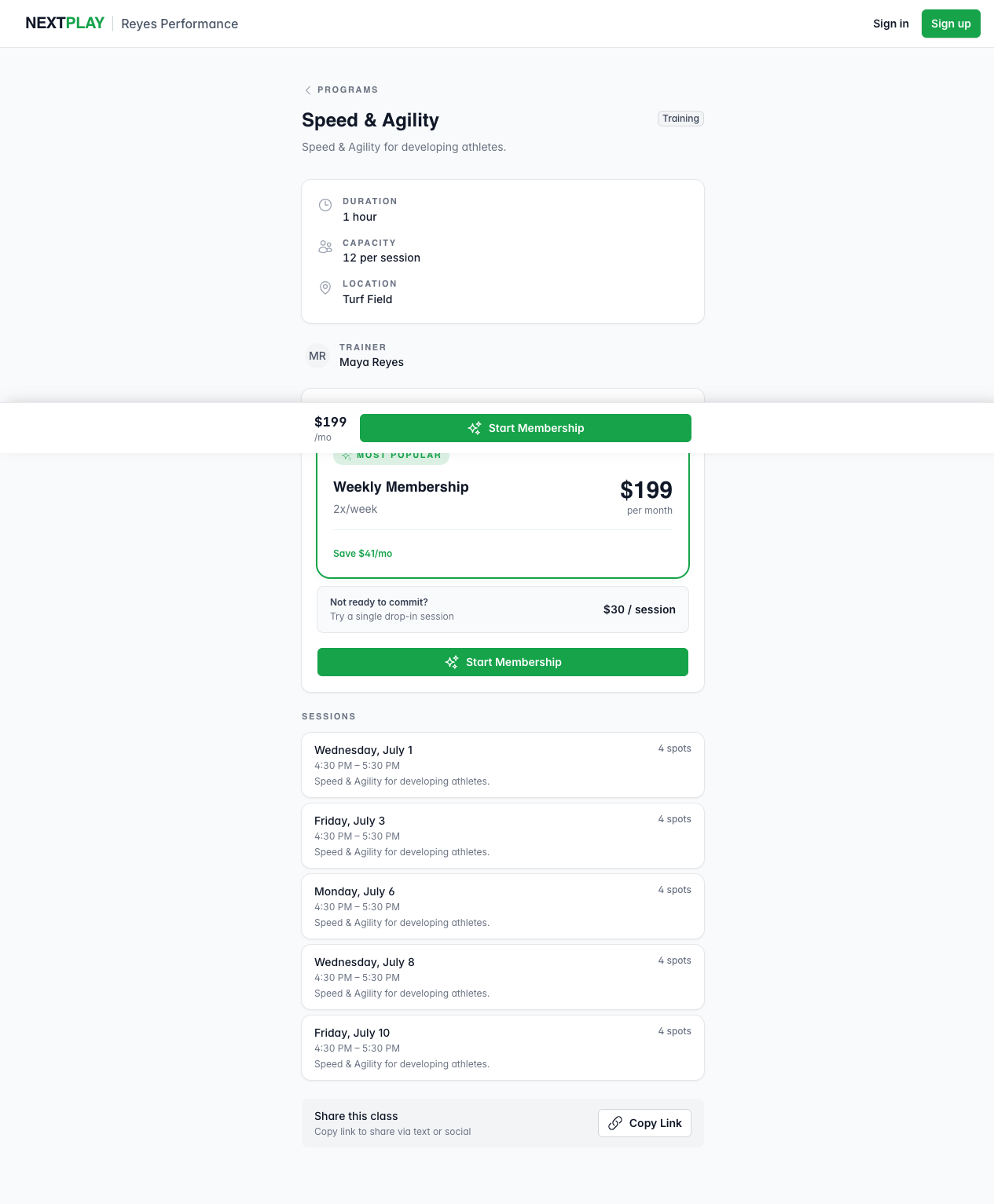
A membership renews on a schedule and gives you a set number of sessions each
week. Tap Start Membership, choose who it is for (you or a child), and
check out through Stripe. It keeps going until you cancel.
Add a bundled program
Some trainers offer a second, related program at a discount right under the
membership button. Tap Add to my plan to start both at once. It is a single
monthly charge, and you end up with two memberships you can manage on their own.
Each one shows in your account, marked as billed together.
Buy credits
If your trainer uses credits, you can buy a batch up front with Buy Drop-in
Credit or Buy More Credits. The page shows how many you have left and how
long they are good for, and you use a credit when you attend a session.
How you pay
Every purchase goes through Stripe, and you get a receipt by email. Memberships
bill again on their own schedule. For what checkout looks like, see
paying for sessions.
Was this helpful?