Signing a waiver
Agree to a trainer's waiver so you and your kids are set to take part.
Updated August 17, 2026
Some trainers ask you to agree to a waiver before you take part. It only takes a
moment.
Sign while you book
When a program has a waiver, you see a Waivers & Agreements section as you
book. Read each one, check the box to agree, and submit. When you submit, your
checks become your signature.
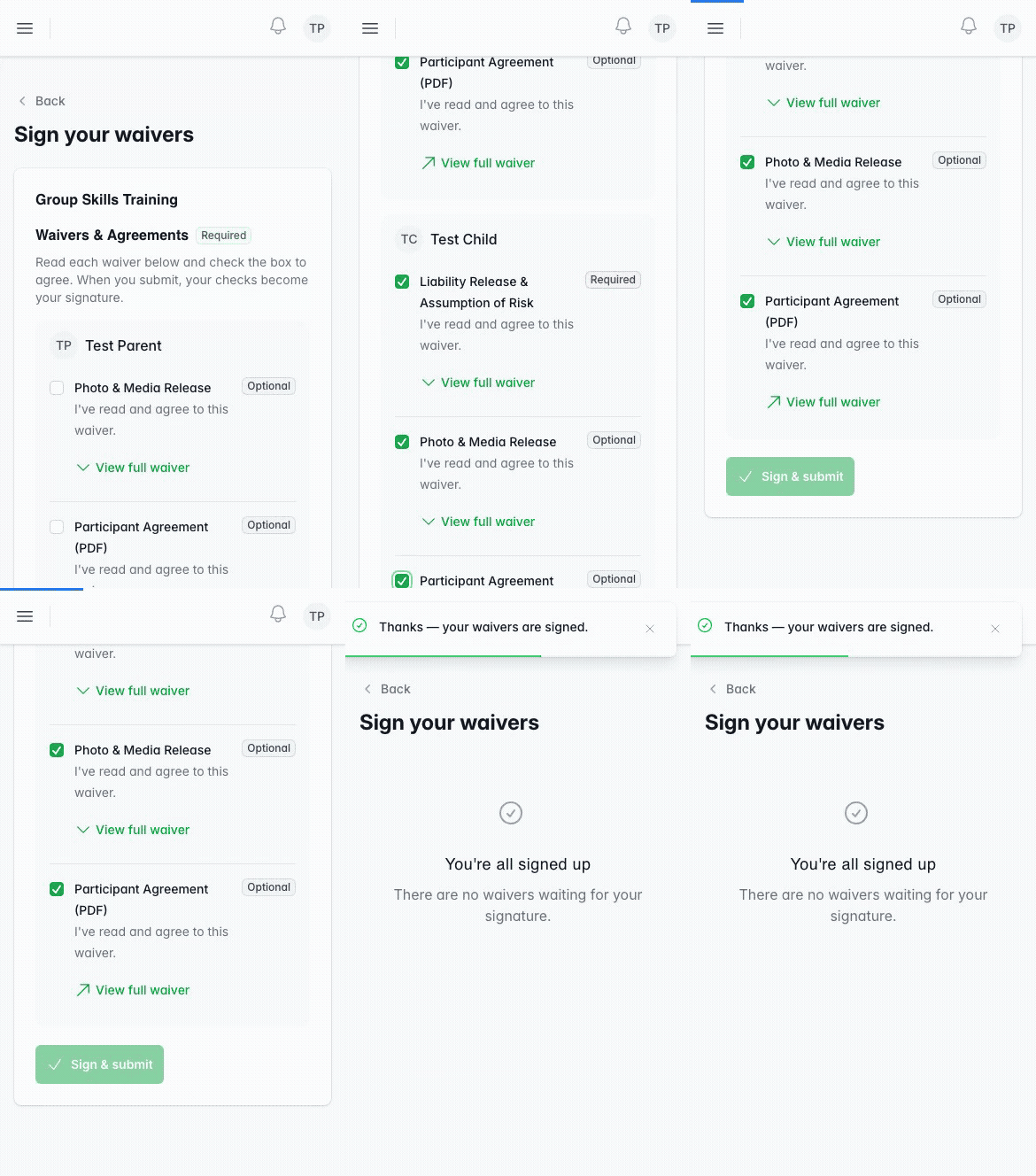
A waiver marked Required has to be agreed to before you can book. An optional
one you can skip.
Sign one added later
If your trainer adds a waiver after you have booked, it shows up for you to sign.
Open it from your booking or the session, agree, and tap Sign & submit. You
may need to sign before you can check in.
Signing for your kids
When you book for more than one child, each person’s waivers are listed
separately, so you agree for each of them in the same place.
Was this helpful?