Managing your family
Add each child once, then book and check them in by name.
Updated August 17, 2026
Add each child to your account once. After that you can book and check them in by
name.
Add a child
Open Children under My Stuff, then tap Add Child.
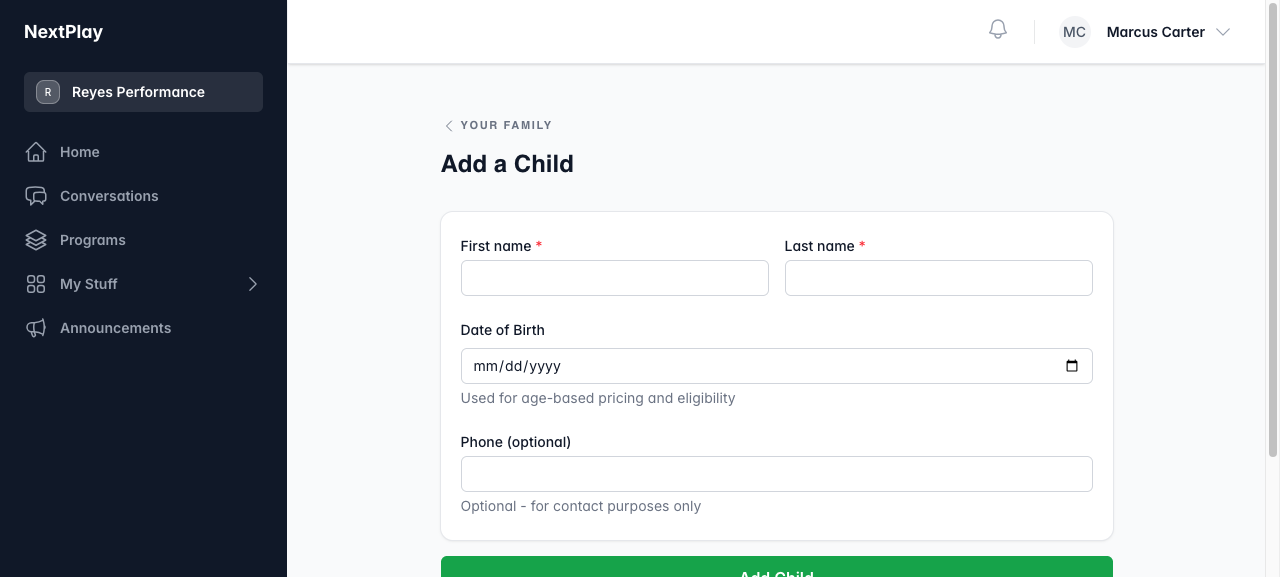
On the Add a Child form, fill in:
- First name and last name
- Date of birth, which sets age-based pricing and eligibility
- A phone number, if you want one on file (optional)
Tap Add Child to save. They show up whenever you book from then on.
Edit a child
Open a child from Your Family and update their details, then tap Save
Changes. Use this to fix a name or correct a birthday.
Book for your kids
When you start a booking, the Who are you booking for? step lists you and
each child. Pick everyone who is coming. The full flow is in
booking a session.
Check them in
At a session, each child you booked shows up as their own row on the check-in
screen, so you can check in the whole family from one phone. See
checking in.
Was this helpful?