Notifications and reminders
Get session reminders, choose which emails you receive, and turn on notifications on your phone.
Updated August 17, 2026
Next Play keeps you posted about your bookings, and you control how much you
hear.
Session reminders
You get a reminder email 24 hours and 1 hour before each session you have booked,
so a practice does not slip by. These come automatically while reminders are
turned on.
Choose your emails
In your account settings, open Email preferences to pick which emails you
want:
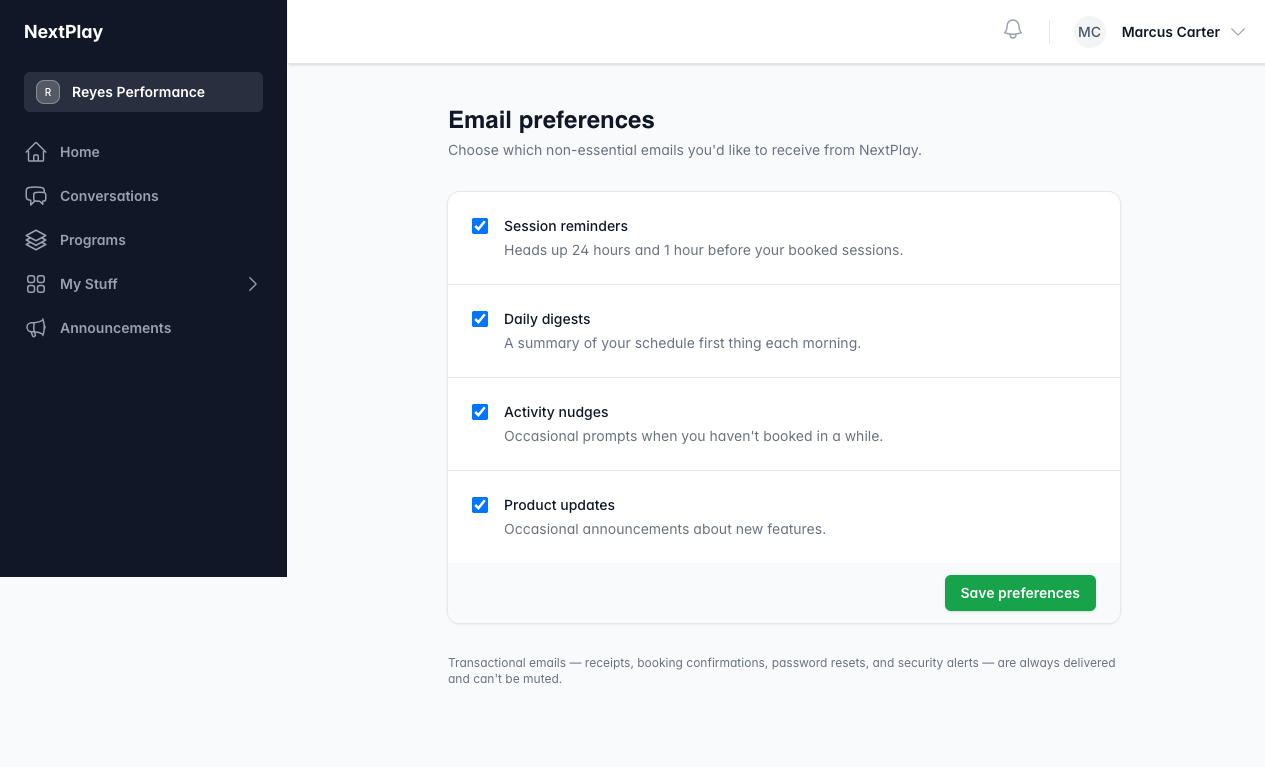
- Session reminders before your booked sessions.
- Daily digests with your schedule each morning.
- Activity nudges when you have not booked in a while.
- Product updates about new features.
Receipts, booking confirmations, and security emails always come through and
cannot be turned off.
In-app notifications
The bell at the top of the app shows your notifications, like a new booking or a
message from your trainer. Open it any time to catch up.
Notifications on your phone
Add Next Play to your home screen, then tap Turn on notifications to get
alerts on your device. For the steps on iPhone and Android, see
add Next Play to your home screen.
Was this helpful?