How programs and sessions work
A program is what you offer; sessions are the dated slots people book. Here is how they fit together.
Updated August 17, 2026
Two building blocks run everything in Next Play: a program and its sessions.
A program is what you offer
A program is the thing families sign up for, like a speed clinic or a weekly
small group. When you create one, you pick a type that sets its default schedule
and who can see it:
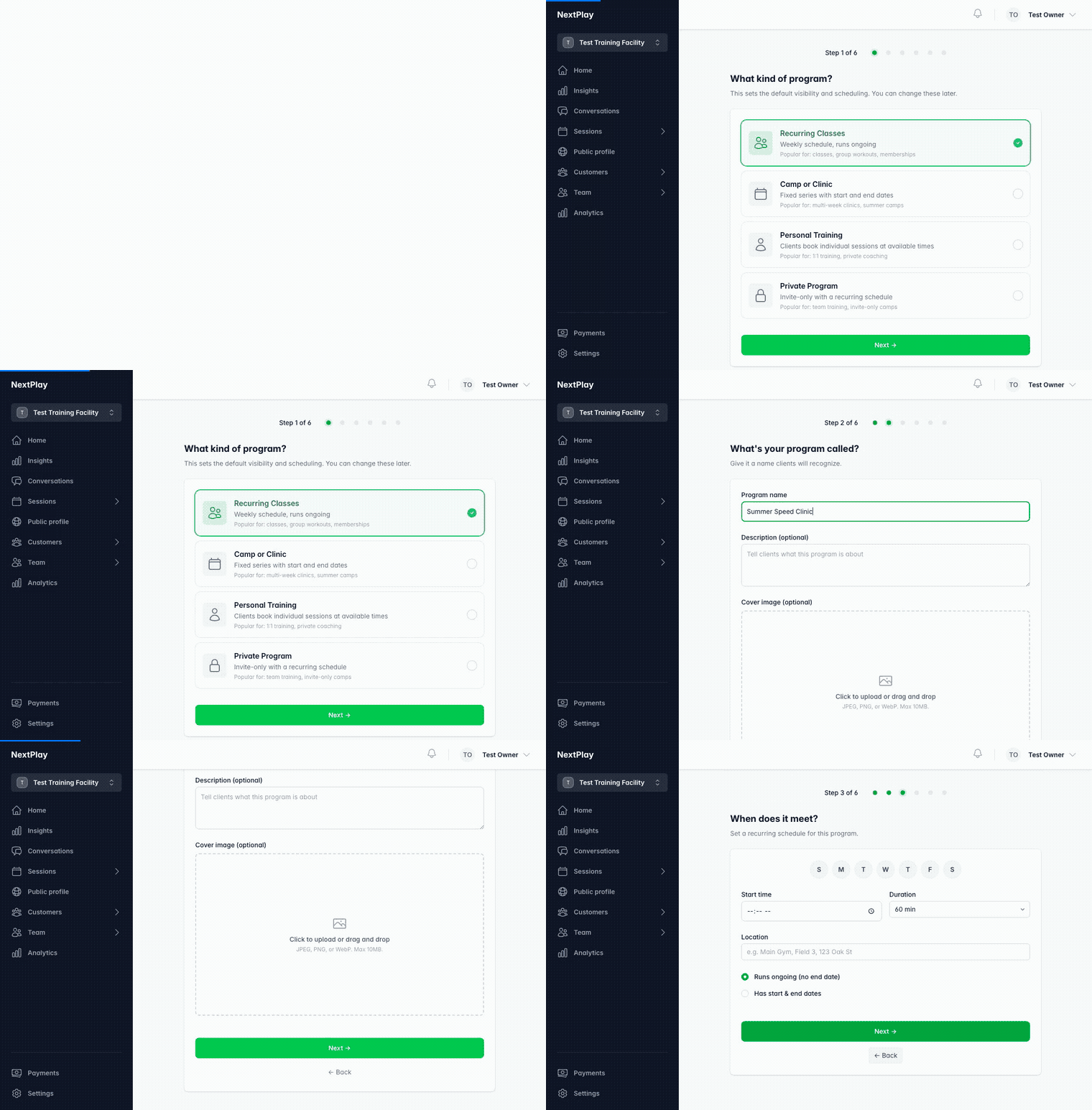
- Recurring Classes run on a weekly schedule, ongoing. Good for classes,
group workouts, and memberships. - Camp or Clinic is a fixed series with start and end dates. Good for
multi-week clinics and summer camps. - Personal Training lets clients book individual sessions at your available
times. Good for 1:1 coaching. - Private Program is invite-only with a recurring schedule. Good for team
training.
The type only sets the defaults. You can change the schedule and visibility
later.
A session is a dated time slot
A session is a single, dated slot that a family actually books, like Tuesday at
5:30. Sessions are what show up on your page and what people check in to.
How they connect
Most of the time you do not create sessions one by one. You add a schedule to a
program, and Next Play creates the sessions from it. A recurring class fills in
its weekly sessions; a camp lays out its dated series.
For a true one-off that is not part of a program, you can create a single
session on its own.
When to use which
- Running something that repeats, or that families sign up for and prepay? Use a
program. - Posting a single, standalone session? Create a session directly.
Either way, the steps to create, publish, and cancel a session are the same. See
sessions and scheduling
for the how-to.
Was this helpful?