Setting up a waiver
Attach a waiver to a program so families agree to your terms before they take part.
Updated August 17, 2026
A waiver lets families agree to your terms before they take part. You add it to a
program, and Next Play collects the signatures for you.
Add a waiver to a program
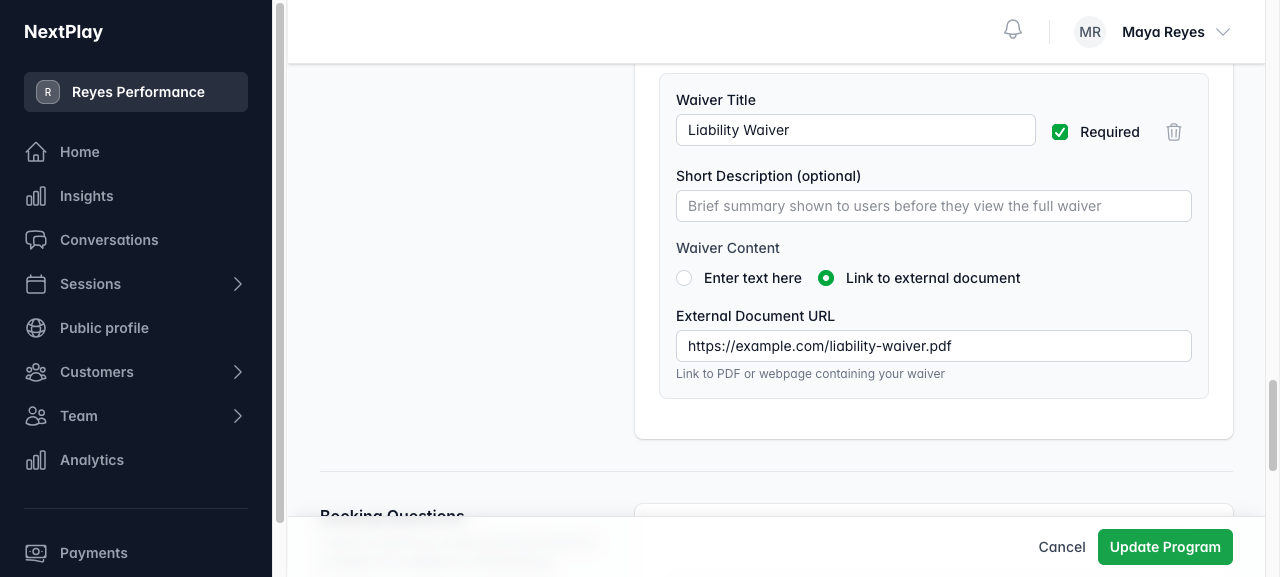
Open the program and add a waiver. Give it a title, link to the document or
paste the text, and mark it Required if people must agree before they book.
You can start from a template to save time.
Templates are starting points only. Have your waiver reviewed by an attorney
before you rely on it. You will also need your business address on file, which
you set in Settings.
How required waivers are enforced
A required waiver has to be signed before someone can book. If you add one after
people have already booked, it shows up for them to sign, and an unsigned
required waiver is caught again at check-in as a backstop.
Chase down missing signatures
The program shows who has signed and who has not. If a waiver is still
outstanding, you can email the attendees who need to sign in one tap, so they
can take care of it before they arrive.
Was this helpful?